11 KiB
AnyBot
中文 README · English
Your own AI assistant. It chats, and it can also do things: files, commands, web pages, the screen in front of you, and jobs that run on a schedule.
It runs on your computers. You bring the model key (or run Ollama at home). Chats, files, and passwords are not stored on someone else's account server.
Quick install
Open a terminal and paste one line.
curl -fsSL https://code.30cm.net/daniel.w/AnyBot/raw/branch/main/install.sh | sh
Windows (PowerShell):
irm https://code.30cm.net/daniel.w/AnyBot/raw/branch/main/install.ps1 | iex
The first build takes 5–15 minutes; later updates take 1–2. It installs into your user folder and needs no administrator account. Open AnyBot (on a Mac, the first time: right-click the icon › Open), paste an API key under Settings › Models, make a bot, and talk to it. No key? Pick Ollama and it runs on your own machine.
Server, hands, or running this from an agent: see Install below.
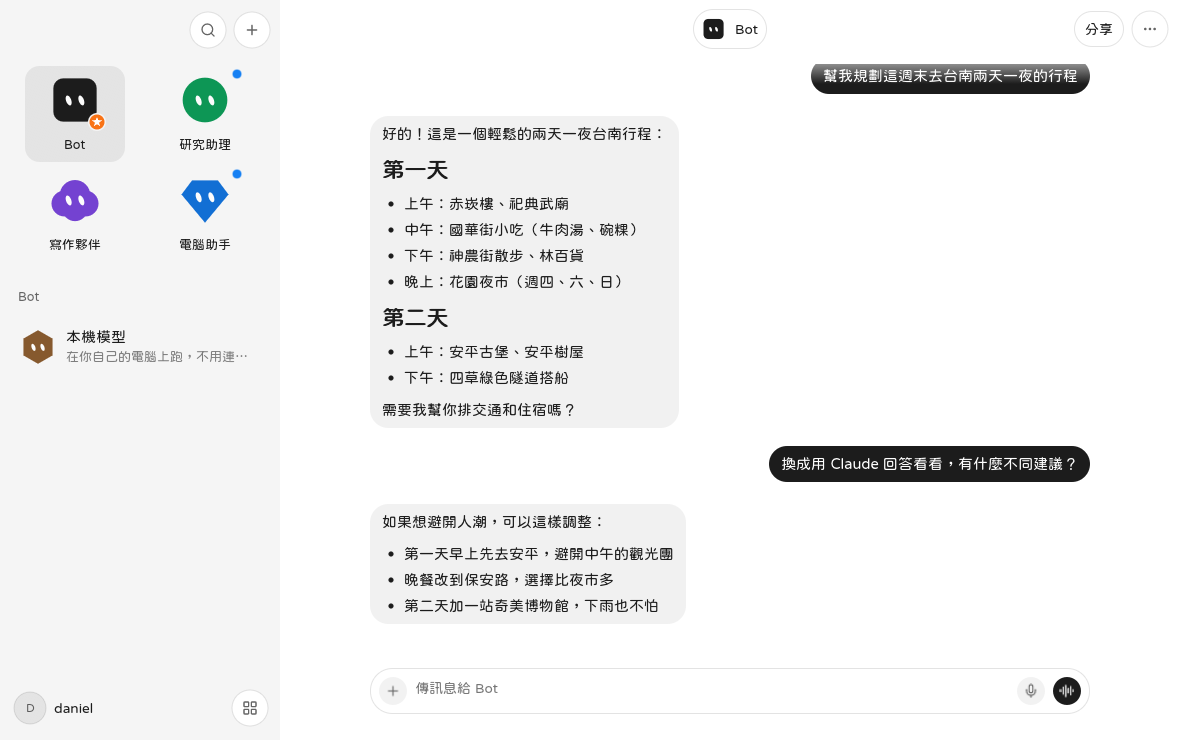
Each row is a bot. Research, writing, and “touch the computer” can each use a different model.
It asks before it acts
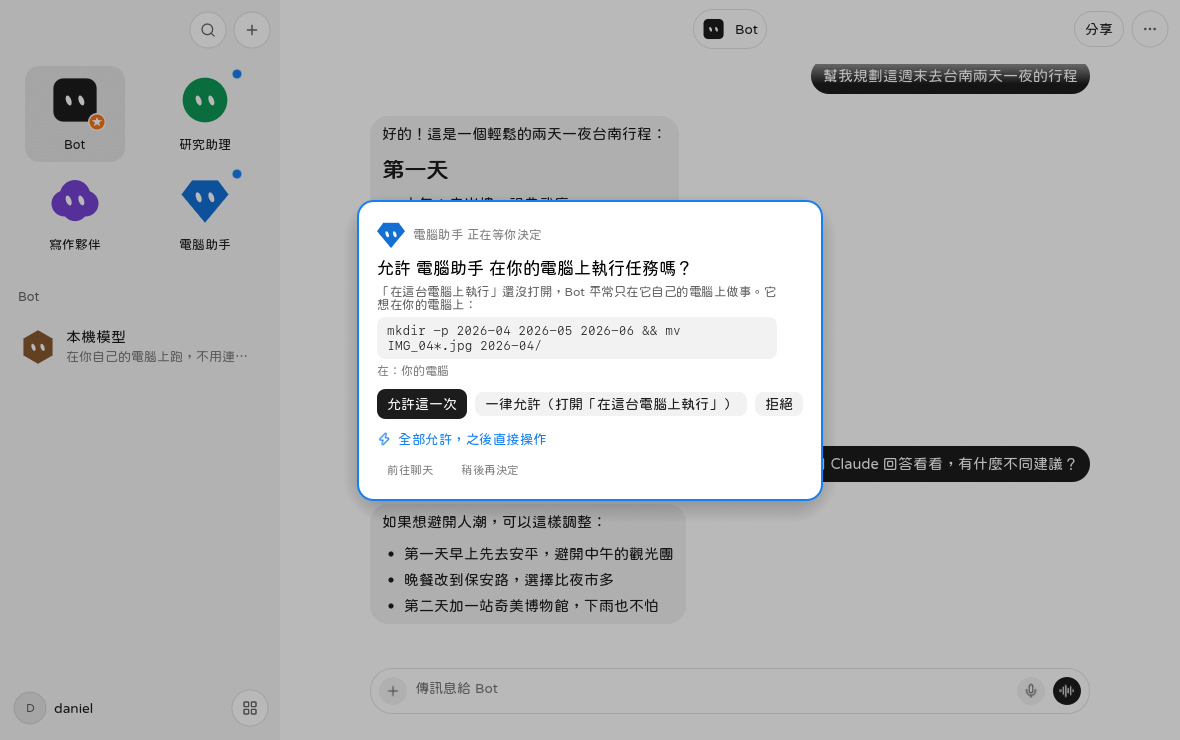
If you say “do this on my computer”, it does not just run it. You see the exact step and choose allow once, always, or no. Sending, paying, and deleting are asked every time, even if you turned other prompts off.
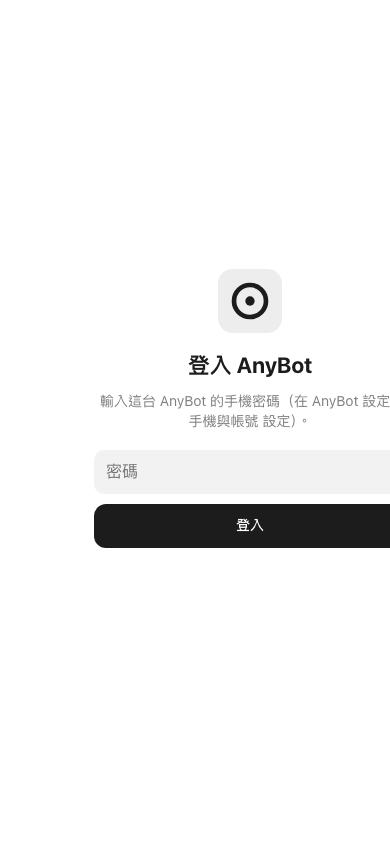
The phone is the same chat. Open your URL, sign in, and you can watch from outside — and take the screen when a login needs a person.
What you can ask it to do
| Chat, edit, look things up | Each bot has a one-line job description and its own model |
| Files and commands | It asks first. Or it works only inside its own computer, a small desktop kept apart from yours |
| Web pages and forms | Its own browser. Passwords and card numbers are filled by the app, not read out to the model |
| The screen you are using | It looks at buttons, then clicks. If it needs you to sign in, it hands you the screen |
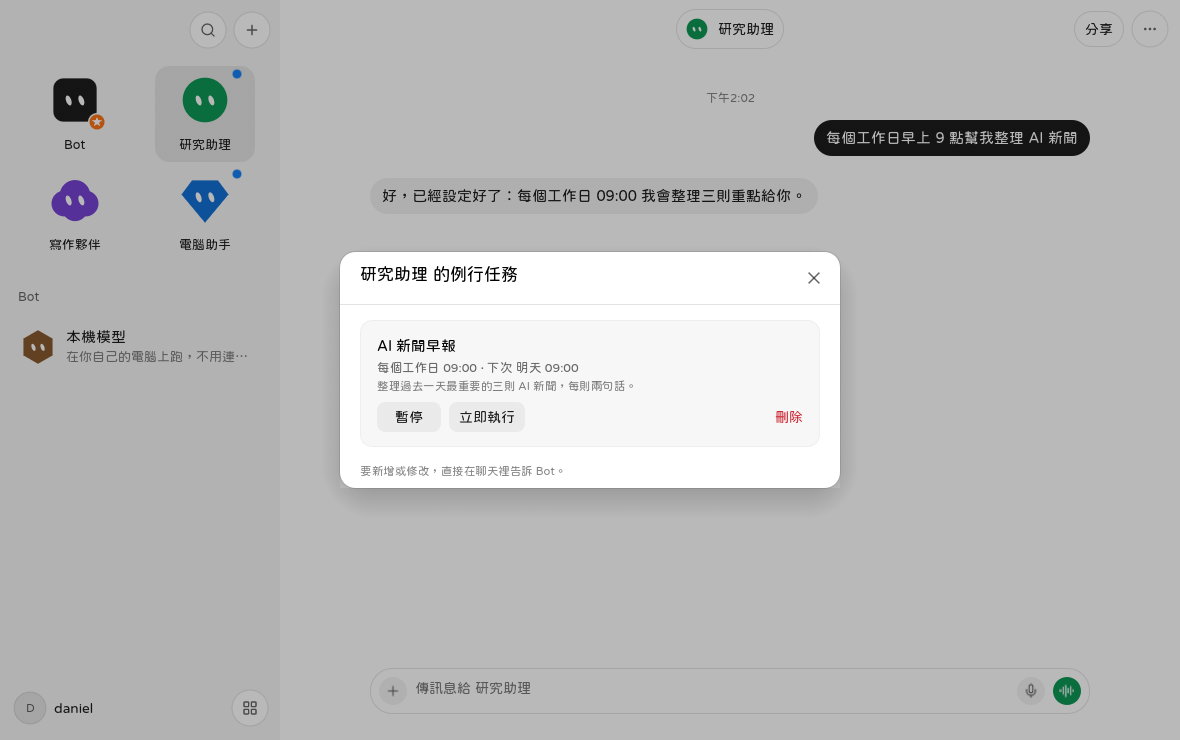
| A clock | “Every weekday at 9, three news items” becomes a routine |
Models: xAI, OpenAI, Claude, Gemini, OpenRouter, OpenCode Go, Ollama on your machine, or any OpenAI-compatible endpoint.
One computer is enough
If you do not want a server, stop here.
- Paste the quick-install line above into a terminal. If it asks what to install, choose the desktop app.
- Open AnyBot. On a Mac, the first time: right-click the icon › Open.
- Settings › Models, paste an API key. Or pick Ollama and skip the key.
- Make a bot and talk to it.
The first build takes about 5–15 minutes. Later updates take 1–2. The app lives in your user folder. No administrator account.
For a second computer or a phone, see “A phone, and other computers” below.
A phone, and other computers
One machine remembers and thinks (the brain). Others are there to be used (the hands). The phone is only a window. They meet on an account server you run, so the computers at home do not open a port or need a public address.
  you on the phone          you on a laptop         a computer with no screen
        \                         |                          /
         └──── account server (it only connects them) ──────┘
                                  |
               brain: bots, chats, memory, routines live here
                                  |
        hands: the brain asks this machine to see, click, read, browse
| Role | In plain words | What you do |
|---|---|---|
| Brain | Holds every bot and chat. Thinks and runs the clock. Must stay on | Set up the server once, or use a Mac that stays awake |
| Screen | The computer you sit at. You see the brain's bots, and the brain can use this machine | Install the desktop app and sign in |
| Hands | A computer for the bot. A screen is optional | In AnyBot, press “Add a computer” and paste the line it shows |
| Phone | The same chat | Open your URL in a browser and add it to the home screen |
The server is a Linux machine with 2 GB of RAM, plus a domain or Tailscale (no domain; only your devices can open it).
curl -fsSL https://code.30cm.net/daniel.w/AnyBot/raw/branch/main/install.sh | sh -s -- server
It asks for three things: URL, account, password. Docker and HTTPS are its job.
No server yet? A Mac can be the brain first. That is method B in docs/multi-device.md (English summary).
How a sentence becomes an action
For people who want the path, not the source tree. The module map is docs/architecture.md (English summary).
flowchart TD
  you[You: desktop app or phone]
  relay[Account server<br/>forwards only, does not keep the chat]
  brain[AnyBot on the brain]
  model[The model you chose]
  ask[Touch a computer? Ask you first]
  box[The bot's own computer<br/>a desktop inside Docker]
  hands[A paired machine<br/>your Mac, Linux, or Windows]

  you --> relay --> brain
  brain --> model
  brain --> ask
  ask --> box
  ask --> hands
- You send a message on the desktop or the phone. The phone does not think on its own. It is looking at the brain's copy of the chat.
- The brain sends that message, the bot's instructions, and the tools it may use, to your model.
- If the model only needs to answer, the reply comes back. If it wants to read a file, open a page, or click, it proposes one action.
- AnyBot's own rules decide, not the model. Ordinary actions ask you. Send, pay, and delete always ask.
- After you allow it, the action runs on the computer you named: the bot's sealed desktop, the machine you are using, or a paired hands machine.
- The result returns to the chat. Phone and laptop see the same thread, because both are watching the brain.
Three programs. No database server.
| Program | What it is |
|---|---|
anybot |
The window, the background process (anybot --serve), and terminal setup (anybot setup) are one file |
anybot-relay |
The account server. Computers connect out to it, so you do not open a port at home |
| Phone page | One file, built into the program. A browser pointed at your URL is the app |
State is a few JSON files, written to a temp file and renamed, so a crash cannot leave a half-written save. macOS: ~/Library/Application Support/AnyBot/. Linux: ~/.local/share/AnyBot/. Windows: %APPDATA%\AnyBot\.
Install
In a terminal it asks what you want, then walks through the first key or the first pairing. You do not have to understand the flags.
| I want… | On | Paste |
|---|---|---|
| Quick install (it asks what you want) | Mac, Linux | curl -fsSL https://code.30cm.net/daniel.w/AnyBot/raw/branch/main/install.sh | sh |
| Quick install (Windows is the desktop app) | Windows 10/11 | irm https://code.30cm.net/daniel.w/AnyBot/raw/branch/main/install.ps1 | iex |
| Desktop app, no questions | Mac, or Linux with a screen | curl -fsSL https://code.30cm.net/daniel.w/AnyBot/raw/branch/main/install.sh | sh -s -- app |
| Account server and brain | Any Linux with Docker | curl -fsSL https://code.30cm.net/daniel.w/AnyBot/raw/branch/main/install.sh | sh -s -- server |
| Another computer as hands | Mac, Linux (headless is fine), signed-in Windows | In the app, “Add a computer”, paste the line it shows |
Linux is not Ubuntu-only. The script knows apt, dnf, yum, pacman, zypper, apk, and xbps.
| Later | |
|---|---|
| Update the app or a hands machine | Paste the install line again |
| Update the server | On the server, cd ~/AnyBot && make server, keep the current settings |
| Remove the program | cd ~/AnyBot && make uninstall (bots and chats stay) |
| Install failed | cd ~/AnyBot && make doctor, then docs/install.md (English) |
Scripts and other agents, with no questions: install/AGENT.md. Start with sh install.sh --print.
Which document
The Chinese docs/ files are the ones that stay current. docs/en/ is a short English copy of each.
| You want… | Read |
|---|---|
| To chat on one computer | “Quick install” at the top |
| Phone, brain, hands, “brain offline” | docs/multi-device.md (en) |
| A platform that will not install | docs/install.md (en) |
| Layers, files, where a turn lives | docs/architecture.md (en) |
| The account-server wire format | docs/protocol.md (en) |
| Trust boundary and where keys sit | SECURITY.md (en) |
| Every feature, as a list | FEATURES.md (Chinese) |
| Release builds | docs/release.md |
From source:
git clone https://code.30cm.net/daniel.w/AnyBot.git
cd AnyBot
make deps && make && make install
make run opens it without installing. make test runs tests. make help lists the rest.
If you are comparing it to other projects
| AnyBot | OpenClaw | OpenHands | Khoj | UI-TARS-Desktop | |
|---|---|---|---|---|---|
| What it is | A personal bot across your machines | An agent gateway on your hardware | A coding agent in sandboxes | A personal knowledge assistant | A GUI agent on one desktop |
| Your real screen, with a person in the loop | Yes. It asks, and you can take the screen | Via plugins | Sandbox, not your desktop | — | Yes. That is the product |
| Phone and several computers | Built in. No port opened at home | You assemble it | — | Server and apps | One machine |
| The bot's own sealed computer | Docker, optional gVisor | Host shell | Yes | — | — |
| Secrets stay out of the model | The app fills the form | — | — | — | — |
| License | Apache-2.0 | MIT | MIT | AGPL-3.0 | Apache-2.0 |
The bet: a bot that can touch your machines is only trustworthy if the program, not the model, owns the gates.
Security
The bot runs on your machines. It asks before it uses them. Text that arrived from a page or a screenshot is data, not orders. Card numbers and one-time codes are painted out of screenshots before a model sees them. Limits and where keys live: SECURITY.md (summary).
Report a vulnerability through the repo's security advisory, not a public issue.
License
Apache License 2.0. Calls to xAI, OpenAI, and the others go through those companies' public APIs. Follow their terms and your key agreement.